Multi-cloud management
Add and manage AWS, Azure, GCP and OCI accounts side by side. Browse resources across every connected cloud from one consistent interface, with credentials kept local in an encrypted vault.
One desktop app to manage AWS, Azure, GCP & OCI.
A Windows desktop app for cloud & infrastructure teams to run their entire multi-cloud estate from one window — inventory, SSH terminals, object storage, cost visibility, security auditing, monitoring and Terraform automation. Credentials stay local in an AES-256 encrypted vault.
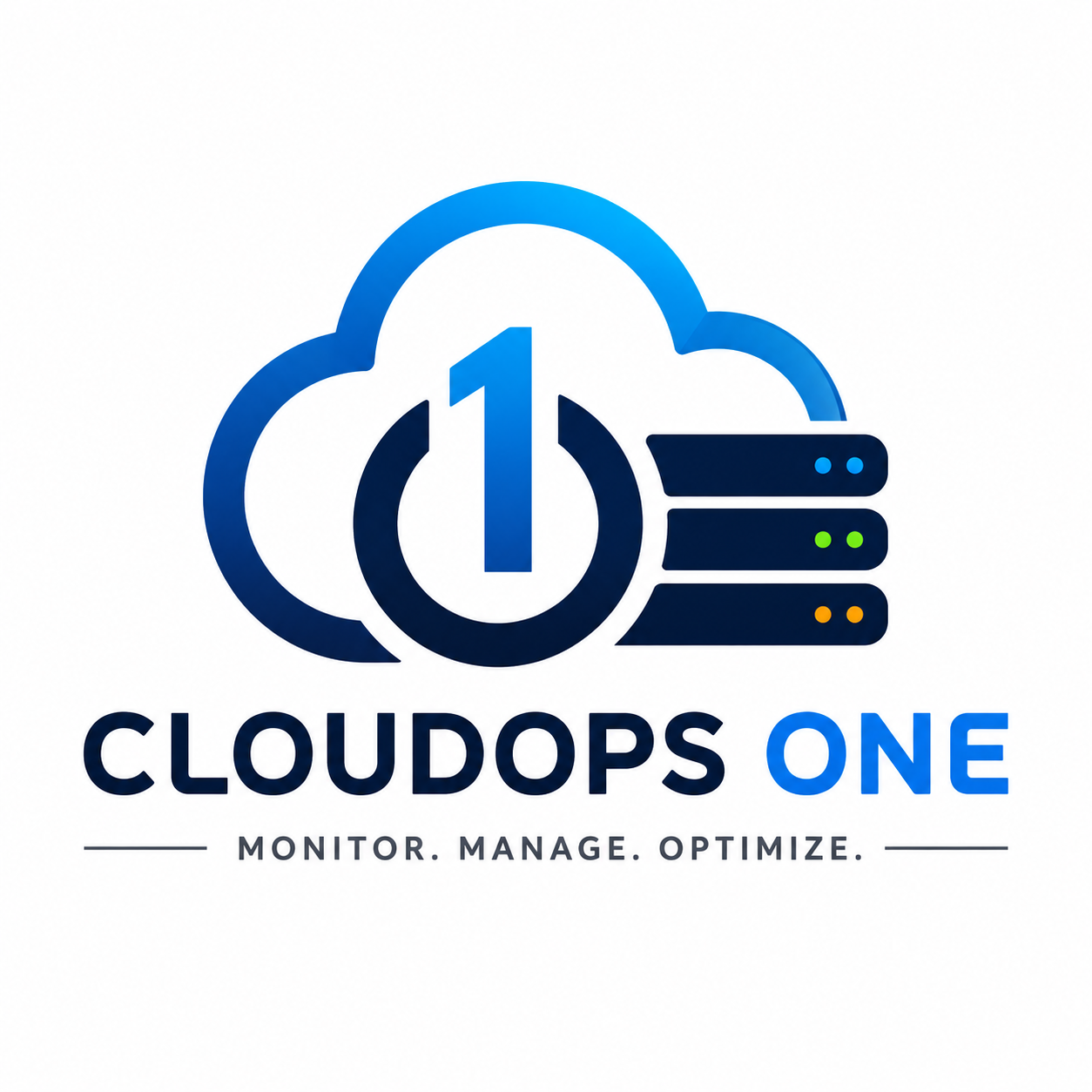
Overview
CloudOps One is a Windows desktop application that brings AWS, OCI, Azure and GCP together in a single window. Instead of jumping between provider consoles, SSH clients, storage browsers and monitoring dashboards, your team operates every cloud from one consistent interface — with credentials kept locally in an AES-256 encrypted vault.
The category
Multi-cloud management is the practice of operating infrastructure that spans more than one public cloud — most commonly a mix of Amazon Web Services (AWS), Oracle Cloud Infrastructure (OCI), Microsoft Azure and Google Cloud Platform (GCP) — through consistent workflows rather than a separate console and toolchain per provider. Organizations end up multi-cloud for real reasons: acquisitions, best-of-breed services, pricing and region coverage, resilience, and avoiding lock-in. The operational cost of that choice is fragmentation.
CloudOps One is a multi-cloud management platform delivered as a Windows desktop application. It brings AWS, OCI, Azure and GCP into one workspace — a unified read-only inventory, SSH/SFTP/RDP access, an object-storage browser, cost intelligence, IAM and CVE security auditing, monitoring, and a Terraform / OpenTofu operations center — with cloud credentials kept locally in an AES-256 encrypted vault. It is a desktop tool you run yourself, not a hosted service; it does not transmit your credentials to Virtual Venture servers. The sections below detail exactly what it does today.
One tool replaces 5+ separate apps in your workflow
| Feature | CloudOps One | MobaXterm | Termius | Royal TS | AWS Console |
|---|---|---|---|---|---|
| Multi-Cloud (AWS+OCI+Azure+GCP) | |||||
| SSH Terminal (Multi-tab) | |||||
| Object Storage Browser (S3/Blob/GCS/OCI) | partial | ||||
| AI Cloud Copilot | |||||
| Infrastructure Monitoring | partial | ||||
| Multi-Channel Alerts (Email+Slack+Telegram) | partial | ||||
| Cost Intelligence & Budget Alerts | |||||
| IAM Security Audit | partial | ||||
| CVE Vulnerability Scanner | |||||
| Terraform Plan/Apply/Destroy | |||||
| Ansible Playbook Execution | |||||
| Cloud Instance Start/Stop/Reboot | |||||
| Topology Map (Visual) | |||||
| Credential Vault (AES-256) | |||||
| Background Monitoring (Polling) | |||||
| SMTP Test Email | |||||
| Desktop App (No Browser) | |||||
| Auto-Update Push | |||||
| Price (per year) | ₹4,999 | ₹15,000+ | ₹8,500+ | ₹12,000+ | Free (cloud cost separate) |
Comparison based on publicly available feature lists as of July 2026. "Partial" = limited implementation or requires additional services.
No browser tabs. No context switching. One desktop app for all clouds.
AI Cloud Copilot
Natural language queries with live metrics
Multi-Cloud Explorer
AWS, OCI, Azure, GCP resources unified
Object Storage Browser
S3, Blob, GCS, OCI — upload/download/delete
Cost Intelligence
By service, trends, budget alerts
IAM Security Audit
MFA gaps, root risk, key rotation
CVE Scanner
Pending patches via SSH scan
Topology Map
Visual: accounts → folders → servers
Terraform & Ansible
Plan/apply/destroy + playbooks
SSH Terminal
Multi-tab, split pane, broadcast
Session Logging
Ctrl+Shift+S save, continuous recording
Multi-Channel Alerts
Email + Slack + Telegram + Webhook
Background Polling
Every 2 min, even on other pages
Credential Vault
AES-256 encrypted, audit trail
SVG Cloud Logos
Real AWS/OCI/Azure/GCP brand icons
37+ Automations
Workflows, scheduler, approval gates
Instance Actions
Start/Stop/Reboot any cloud VM
Trend Monitoring
Sparkline charts, 30-reading history
SSH Security Profiles
Modern, Compatibility, Legacy modes
How it works
Five steps, one window. Your credentials never leave your machine.
Connect
Add your AWS, Azure, GCP and OCI accounts. Credentials are stored locally in an AES-256 encrypted vault.
Discover
See resources across every connected cloud in one consistent, read-only inventory.
Analyze
Review cost, monitoring and security information side by side across providers.
Operate
Run supported lifecycle actions, SSH sessions and object-storage tasks from one interface.
Automate
Apply Terraform and Ansible workflows to standardise and repeat your operations.
Why CloudOps One
If your team runs more than one cloud, the day fragments across provider consoles, SSH clients, storage browsers and monitoring dashboards. CloudOps One brings the common operational tasks into a single window.
Juggling a separate console for each cloud
One consistent interface for AWS, Azure, GCP and OCI.
No single view of what you're running
A unified, read-only inventory across every connected account.
Cost and security data scattered per provider
Cost visibility and IAM/CVE security auditing in one place.
Manual, console-by-console operations
Supported lifecycle actions with provider-aware verification.
Repetitive setup work
Terraform and Ansible automation from the same app.
Credentials spread across tools
Credentials kept local in an AES-256 encrypted vault.
Capabilities
Every capability below is part of the current CloudOps One product. See the user manual for full detail.
Manage
Understand
Secure
Automate
Operate
Real screens from the product — the unified dashboard, operations center, and per-cloud management, all from one Windows desktop app.
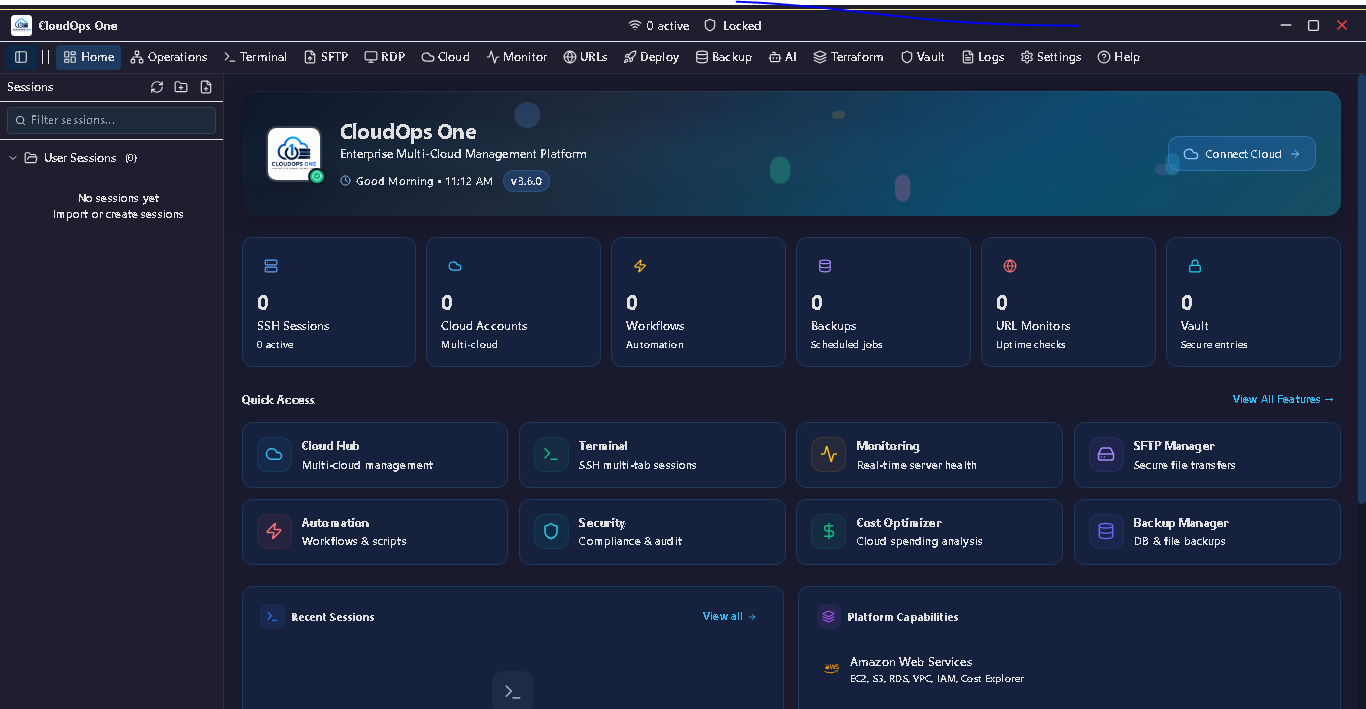
Product tour
Genuine screens from the current release — every capability shown here ships in the product.
Add and manage AWS, Azure, GCP and OCI accounts side by side. Browse resources across every connected cloud from one consistent interface, with credentials kept local in an encrypted vault.
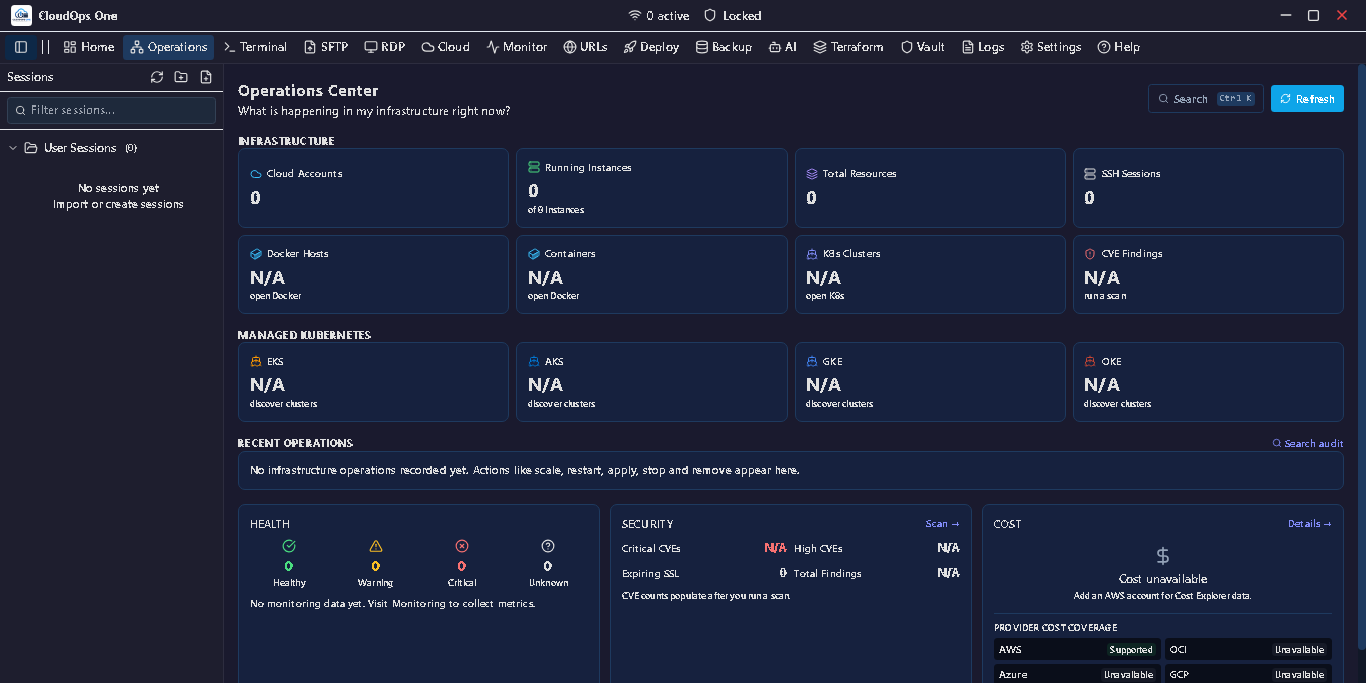
A single operations hub to watch infrastructure health, resource counts and monitoring signals across your connected accounts, with configurable auto-refresh.
Run Terraform plan, apply and destroy from inside the app to provision and standardise infrastructure across providers — no separate tooling window.
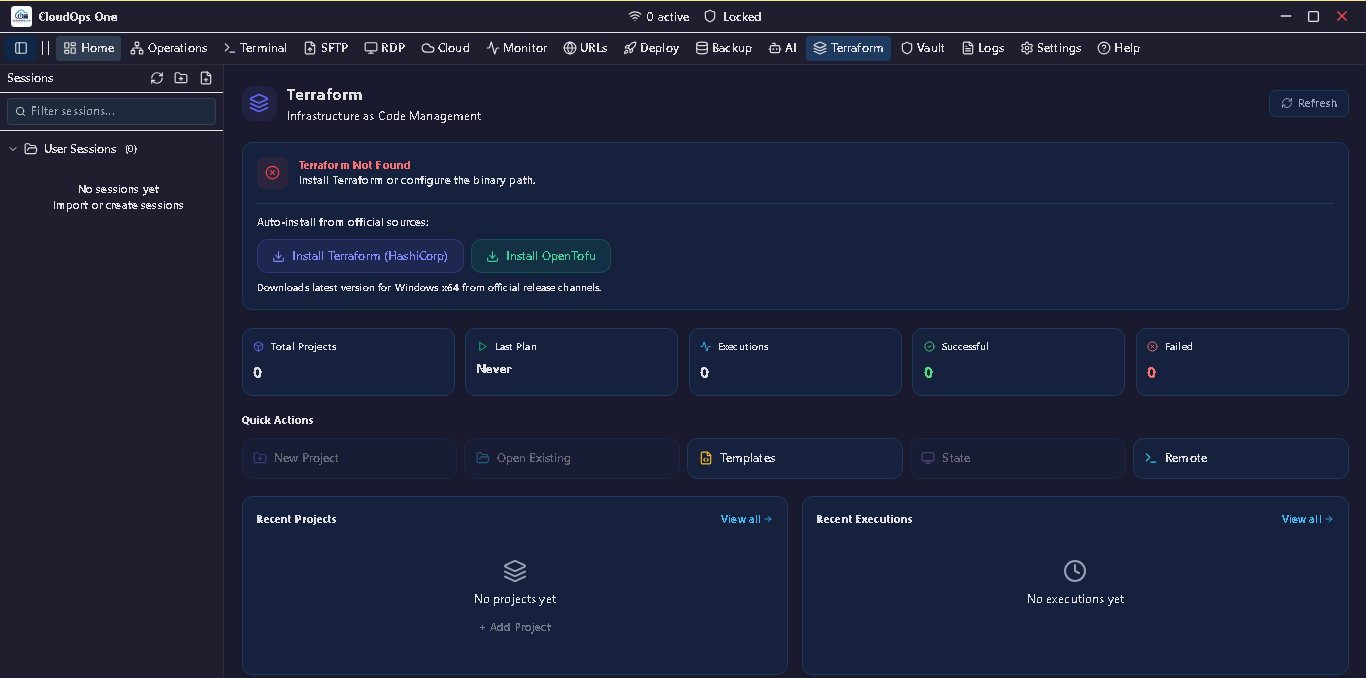
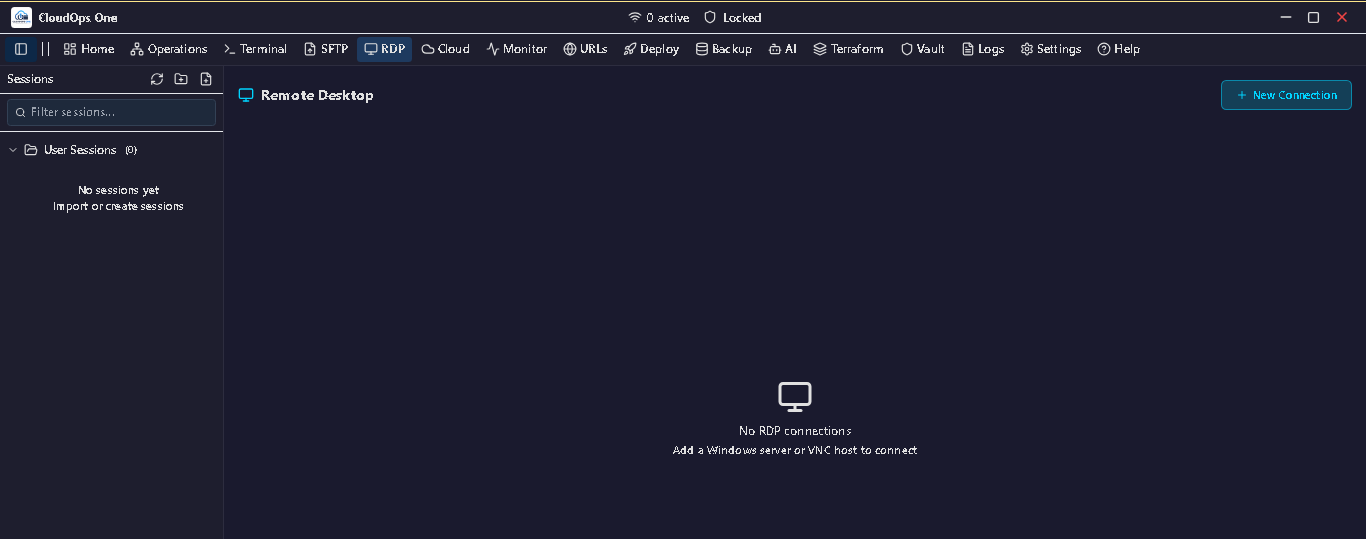
Reach your servers directly from CloudOps One — a multi-tab SSH terminal with session logging, plus remote desktop access for Windows hosts.
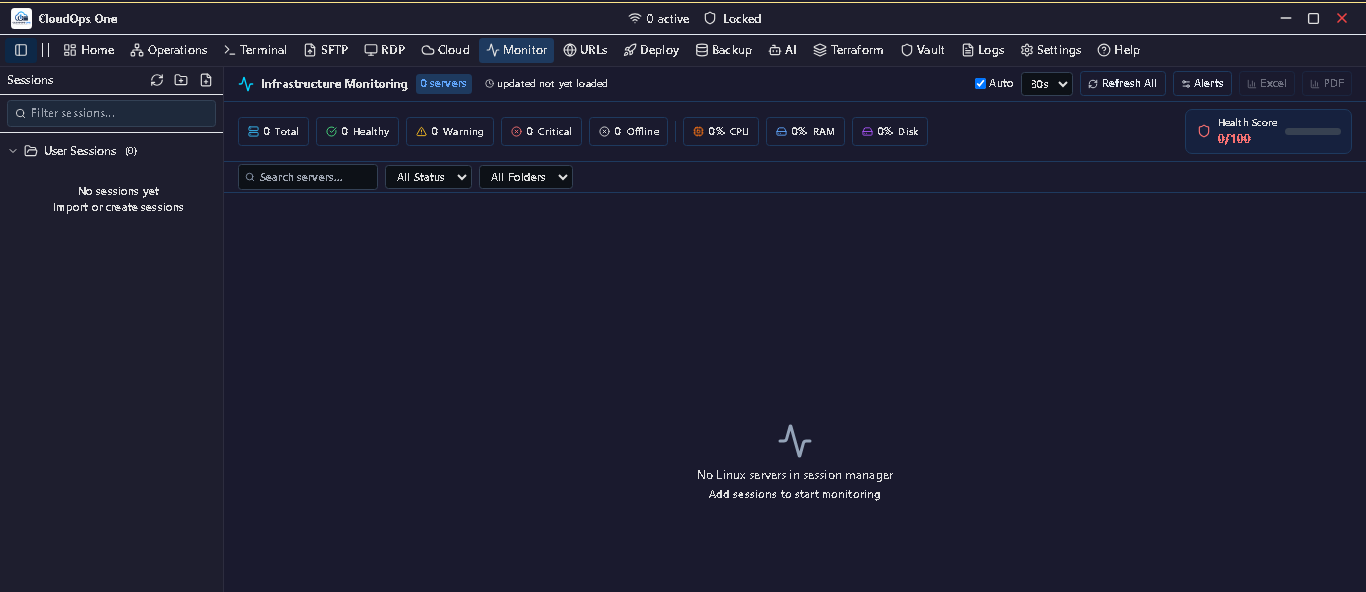
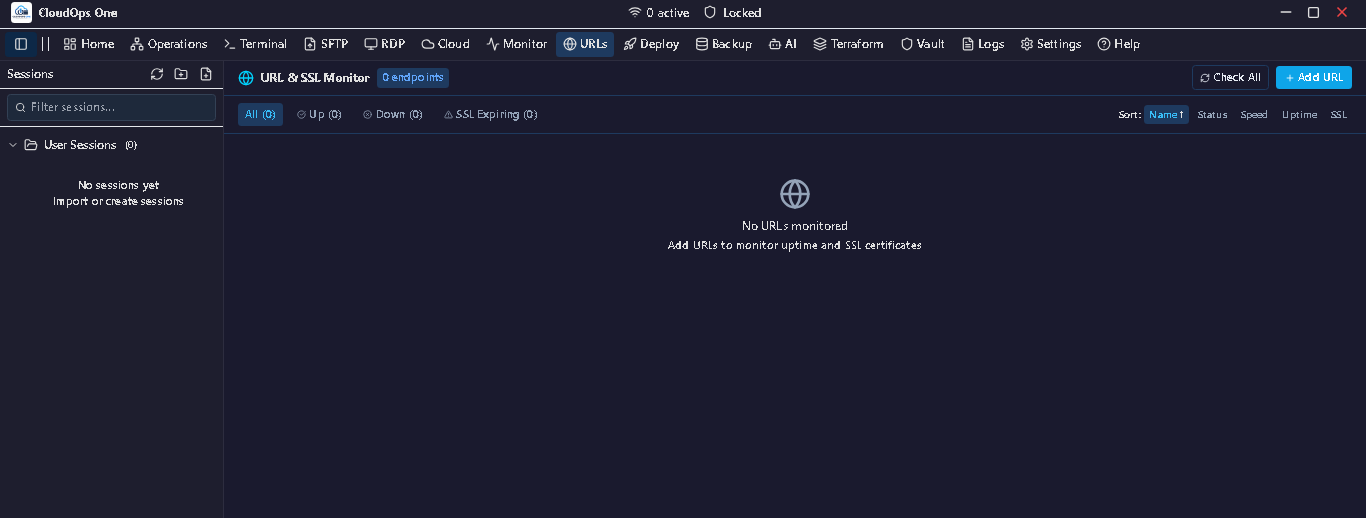
Track the uptime of your endpoints and keep ahead of SSL certificate expiry, so outages and lapsed certificates don't catch you by surprise.
What's New · v3.9.1 · Released November 12, 2026 · Security, Performance & Experience
A quality release focused on three things: comprehensive security hardening of the Terraform / OpenTofu module, a rebuilt SSH terminal that stays smooth under heavy load, and a redesigned sign-in experience. Upgrading in place is safe — accounts, sessions and saved data are preserved.
Fixed a rendering glitch where opening a second SSH tab could briefly show garbled characters.
Offline-first — credentials are encrypted at rest with your PIN (PBKDF2) and the Windows OS keystore; data stays on your machine; SSH connections are host-key verified.
Compatibility: Windows 10/11 (64-bit). Install over any previous version — accounts, saved sessions and settings are preserved. No data migration required.
Previously · v3.8.0 · Infrastructure Operations Center
v3.8.0 turns CloudOps One into a project-centric Infrastructure Operations Center for the full Terraform / OpenTofu lifecycle, adds a read-only AI infrastructure assistant, ships a comprehensive in-app Help Center, and refines the Home dashboard for enterprise clarity. It builds on the multi-cloud inventory, lifecycle actions and security hardening below. Your accounts, sessions and saved data are preserved.
A project-centric workspace for the full IaC lifecycle: register project folders (auto-detects Terraform or OpenTofu), inspect code, variables, modules, environments and workspaces, generate HCL from a curated resource catalog, run a Plan Center with a change & dependency graph, explore recorded state, import existing cloud resources, detect out-of-band drift, review backend & remote state (credentials masked), evaluate a built-in policy catalog, see reference cost estimates per resource, and run on an approved host with execution history.
A read-only extension of the AI Copilot that explains a Terraform project — plan, state, drift, backend, policy, cost, variables and modules — grounded in your actual parsed data. Read-only by design: it cannot apply, destroy, import, init, edit files or run commands. Project-scoped isolation with honest “not analyzed” states.
A full in-app documentation center covering Cloud Accounts, Compute, Storage, Databases, Docker, Kubernetes, Monitoring, Backup & Restore, SSH/SFTP/RDP, Automation, Terraform, AI Copilot, Security and Troubleshooting — searchable, deep-linkable articles with breadcrumbs, previous/next navigation and related links, plus a built-in AI Help Assistant.
Clearer information hierarchy — Overview, Operational Attention, Quick Actions, Recent Sessions and Platform Capabilities — with quick actions for common tasks and truthful provider status (“Connected (N)” vs “Supported”) and honest empty/attention states.
Inside the Operations Center
Register project folders; auto-detect Terraform or OpenTofu; see engine, workspace, status and recent runs.
Generate Terraform HCL from a curated resource catalog — preview before writing, with overwrite protection.
Inspect configuration, variable types/defaults, module sources, environments and workspaces.
Run a plan and review Create / Update / Destroy / Replace changes with a dependency & change graph, filters and before/after values.
Inspect Terraform's recorded state, kept distinct from configuration.
Bring existing cloud resources under Terraform state for curated resource types.
Refresh-only analysis that reports out-of-band drift — never a silent change.
Inspect local / S3 / AzureRM / GCS backends, initialization status and locking, with credentials masked.
Evaluate a built-in policy catalog with Pass / Violation / Warning / Unknown / Error outcomes.
Reference monthly cost estimates with per-resource before / after / delta. Reference estimates only — not live billing.
Run on an approved host and review past executions.
Also in recent releases
A broad read-only multi-cloud inventory suite across AWS, Azure, GCP and OCI, cross-cloud lifecycle actions, account-scoped Docker & Kubernetes, dependable secure unattended backups, deeper security hardening, and an app-wide accessibility and dark-mode pass. Your accounts, sessions and saved data are preserved.
Consistent, side-by-side inventory across all four clouds. Every view uses real provider APIs, is strictly read-only (List/Describe/GET), and labels provider differences honestly.
Manage resources across providers with provider-aware verification that only reports success when the resource is actually re-read and confirmed — and reports "Unknown" when it can't be.
Accounts, sessions, vault entries and settings are preserved. Routes, IPC channels and data contracts are additive/unchanged. No breaking changes — safe to install over any 3.5.x, 3.6.x, 3.7.x or 3.8.x.
Replaces all of these
Installer (.exe)
CloudOps-One-Setup-3.9.1.exe · Standard Windows installation
Portable (No Install)
CloudOps-One-Portable-3.9.1.exe · Run from any folder or USB
You'll download the CloudOps One installer (or portable build) for Windows 10/11. Run it, add your cloud accounts, and start managing them right away — a 30-day trial with all features is included, then a licence is ₹4,999 + GST per year.
Safe in-place upgrade from any 3.5.x, 3.6.x, 3.7.x or 3.8.x — accounts, sessions, vault entries and settings are preserved.
4
Cloud providers
AWS · OCI · Azure · GCP
v3.9.1
Current release
Governed IaC · faster terminal
96
Automated tests
Across 4 test suites
AES-256
Credential vault
Stored locally, encrypted
Documentation & support
Read the product documentation before you buy, and reach a real team when you need help.
User Manual (PDF)
Full interface & workflow guide
Changelog
Release history & what changed
Latest release
v3.9.1 · Security, performance & experience
Contact & support
Talk to the Virtual Venture team
CloudOps One The product
A Windows desktop software product you download and license. It runs on your machine and manages your cloud accounts directly — you buy a per-year license and use it yourself.
Virtual Venture The company & services
The team behind CloudOps One. Virtual Venture also provides cloud consulting, DevOps, security and managed-infrastructure services if you want hands-on expertise alongside the product.
CloudOps One is a Windows desktop application for managing multi-cloud infrastructure across AWS, OCI, Azure and GCP from a single window — combining SSH terminals, an AI cloud copilot, an object storage browser, cost intelligence, security auditing, monitoring and Terraform/Ansible automation.
CloudOps One works with Amazon Web Services (AWS), Oracle Cloud Infrastructure (OCI), Microsoft Azure and Google Cloud Platform (GCP).
CloudOps One is a desktop app for Windows 10 and Windows 11 (64-bit). It is available as a standard installer or as a portable build that runs without installation.
Credentials are stored locally on your machine in an AES-256 encrypted vault. CloudOps One is a desktop application and does not transmit your credentials to Virtual Venture servers.
Version 3.9.1 adds reviewed-plan apply: apply and destroy run only a plan you have reviewed, and the plan is hash-verified, bound to the project, workspace and configuration, and used exactly once. Every destructive or state-changing action triggers a native OS approval prompt, roles are viewer/operator/administrator, a trusted project receives only its bound cloud account's credentials, and an encrypted state backup is taken before every state-changing operation. Remote (SSH) apply follows the same rules, and projects stay untrusted until you grant trust after a pre-flight review.
Yes. Version 3.8.0 adds a project-centric Infrastructure Operations Center for the full Terraform / OpenTofu lifecycle — register projects (it auto-detects the engine), inspect code, variables, modules and workspaces, run a Plan Center with a change and dependency graph, explore recorded state, import existing cloud resources, detect out-of-band drift, review backends and remote state with credentials masked, evaluate a built-in policy catalog, and see reference monthly cost estimates per resource. Cost figures are reference estimates, not live billing.
Yes. Version 3.8.0 ships a comprehensive in-app Help Center covering Cloud Accounts, Compute, Storage, Databases, Docker, Kubernetes, Monitoring, Backup & Restore, SSH/SFTP/RDP, Automation, Terraform, the AI Copilot, Security and Troubleshooting — with searchable, deep-linkable articles and a built-in AI Help Assistant. A downloadable PDF user manual is also available.
Yes. CloudOps One includes a 30-day trial with all features available so you can evaluate the product before purchasing a license.
Licenses can be purchased and renewed from the Virtual Venture purchase page. For volume licensing or enterprise rollouts, you can talk to our team via the contact page.
Buying CloudOps One
You will receive your invoice by email immediately after payment. License activation is completed within 4 hours after payment verification.
Go to the Purchase page and pay for your CloudOps One license.
After successful payment, an invoice is automatically sent to your email.
Our support team validates your payment.
Your license is delivered within 4 hours of successful payment validation.
CloudOps One replaces MobaXterm, Termius, AWS Console, S3 Browser, and DataDog — in one ₹4,999/yr app.
30-day trial · No credit card · Cancel anytime
Learn the category and assess your environment, then operate it with CloudOps One.
CloudOps One is built by the engineers behind our cloud consulting practice. Explore the services that pair with it: